POMODOROGive your focus
Give your focus
a little space.
Alternate study sessions and breaks with the Pomodoro timer in the app.
Focus — then take a break
A LITTLE ROOM FOR YOUR IMAGINATION
From your first pen stroke to a world of knowledge. Bring your notes, PDFs and everything you want to learn into one space called Penwise.
For lessons, work and ideas that arrive out of the blue.
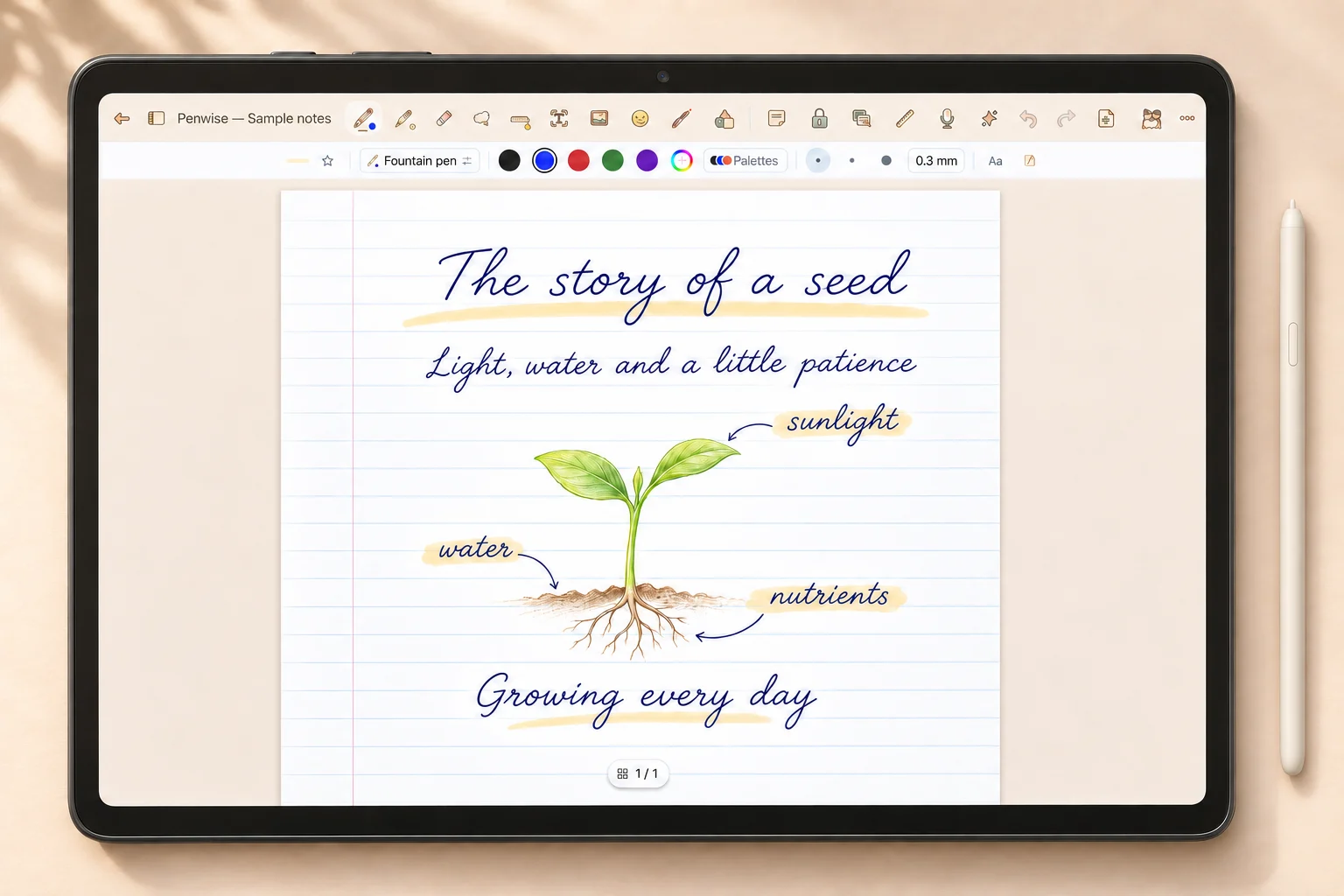
 Handwritten notes
 Read & annotate PDFs
 Text documents
 Mind maps & study spaces
ONE PEN STROKE, MANY WAYS TO EXPRESS YOURSELF
Write freely, read closely and organize your thoughts. Choose a space to explore.
A page for notes, sketches and ideas that do not have to be tidy yet. Choose a pen, highlight what matters and rearrange things with the lasso tool.
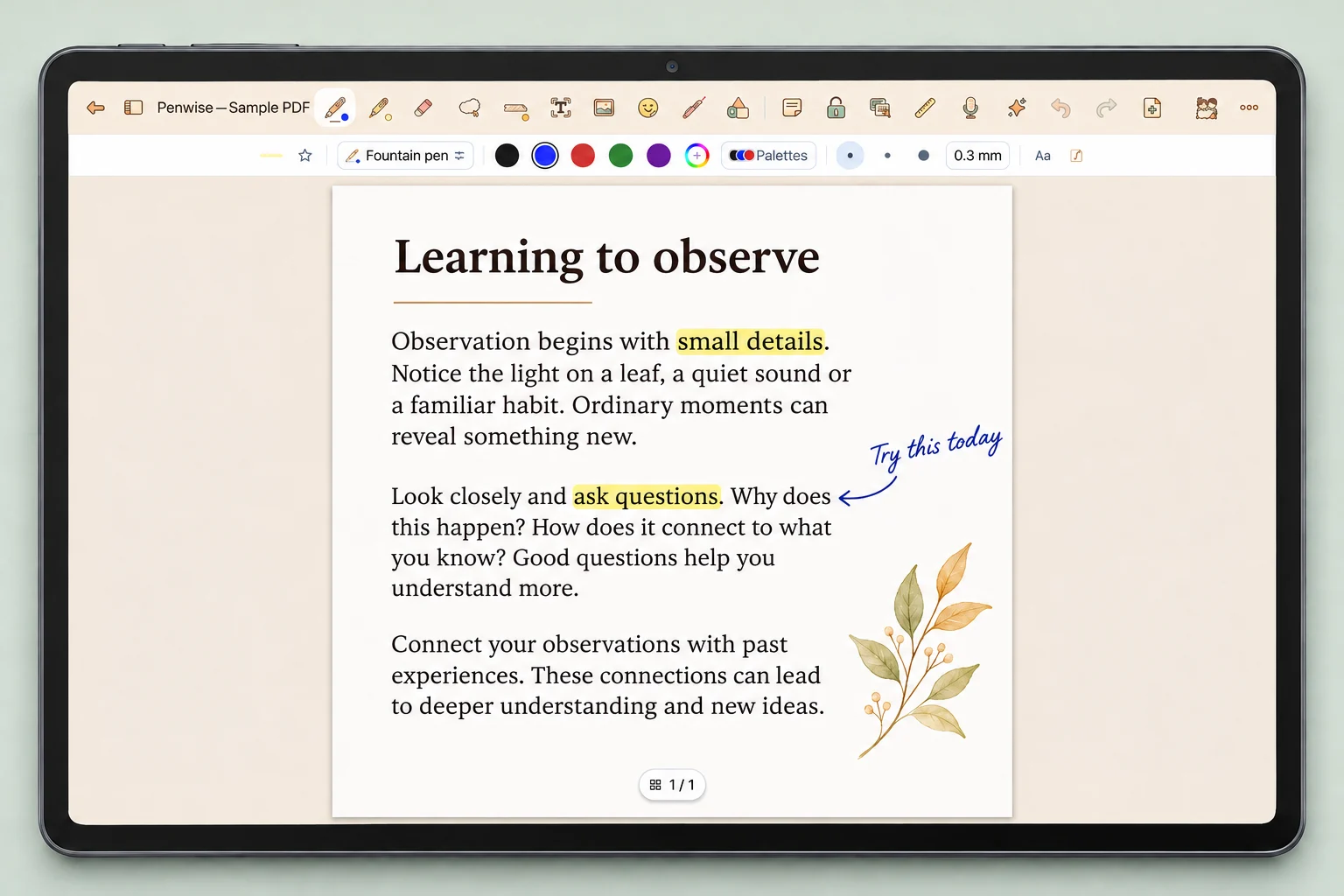
Import a PDF into your notebook, annotate its pages and highlight the main ideas. Keep questions, comments and excerpts close to the material you are studying.
Text selection requires a PDF with a text layer. Exported content depends on the supported object types.
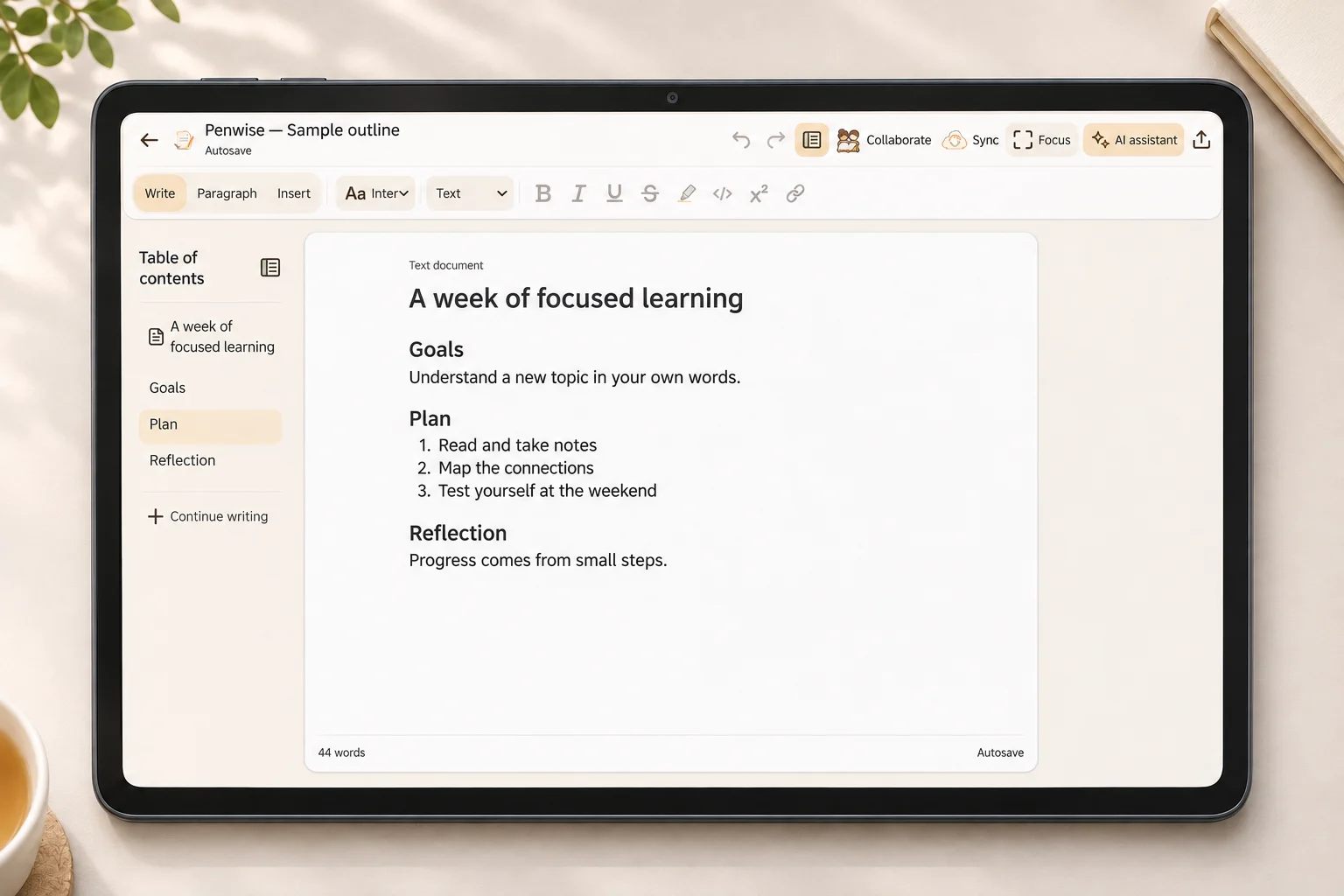
Write lesson notes, outlines or summaries in the text editor. Combine headings, lists, tables and images to make your content easier to follow.
Break a topic into smaller branches. Gather key ideas, expand each branch and collapse it when you want to see the bigger picture.
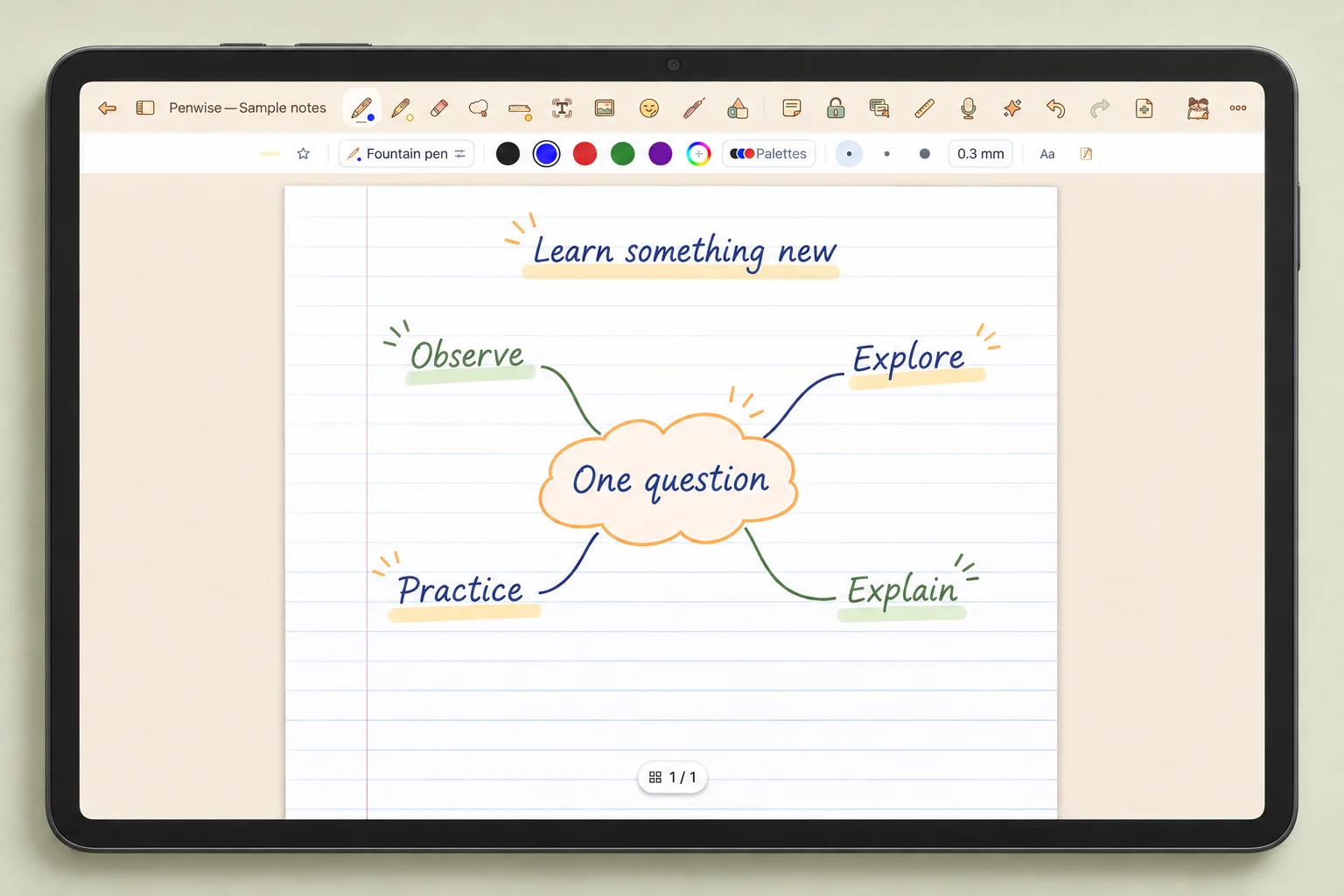
Mockups based on the Android interface, with English sample content. Tap an image for a closer look.
GIVE KNOWLEDGE ROOM TO CONNECT
Bring useful excerpts into your study space. Organize ideas into branches, return to the source page and collect cards from different documents in a study set.
Read & selectKeep the passages worth remembering.
Organize & connectFind where each idea fits.
Recall & practiceTry answering before looking back.
Study workflows on Windows are still being refined to match the tablet experience.
A LITTLE STUDY, A LITTLE MORE REMEMBERED
Make time to focus. Make time to pause and recall.
Alternate study sessions and breaks with the Pomodoro timer in the app.
Focus — then take a breakReview with question-and-answer cards and assess what you remember in the app.
After reading a lesson,
how could you test what you remember?

Room for different subjects: formulas, graphs, shapes and chemistry tools.
 Saved on your deviceGoogle Drive
KEEP WHAT YOU HAVE WRITTEN
Penwise saves documents on your device, with backup and Google Drive sync when you choose to connect.
Sync sends and receives document versions and keeps conflicting copies when changes differ. Support for viewing and editing some content still varies between Android and Windows.
How does sync work?PENWISE ON YOUR DEVICE
Penwise began on Android tablets. The Windows version is being developed step by step.
A space for notes and learning with handwriting, PDFs, text, mind maps, study sets and review.
An experience built around the tablet.
Notes, PDFs, text, mind maps, study sets, review and Pomodoro are available. Some experiences still differ from the tablet version.
Microsoft sign-in is on hold. Feature support does not yet match the tablet version.
This website introduces the product. Download links and store release details are not available here yet. Versions for Apple platforms have not been announced.
A FEW MORE THINGS TO KNOW
Take handwritten lesson notes, read and annotate PDFs, write documents, make mind maps and review what you have learned. Support for individual tools varies between Android and Windows.
Notes and documents are saved on your device. You can write, read existing documents and organize local content offline. Sign-in, Drive sync and online services require an internet connection.
No. Google Drive sync transfers document versions and handles conflicting copies. On Windows, automatic sync runs when no documents are open. Real-time collaboration is not available on Windows, and editing support is not yet identical across both platforms.
Not yet. AI has not been implemented on Windows. This page introduces the note-taking and study tools that are already implemented.
Download links are not available here yet. Release details and distribution channels will be added once confirmed.
A fresh page. A fresh idea.